Book a visit
Steps
1. Start a booking
Tap Visits at the bottom of the screen, then tap + at the top right.
You should see: Pick a clinic, a list of clinics you can book with online.
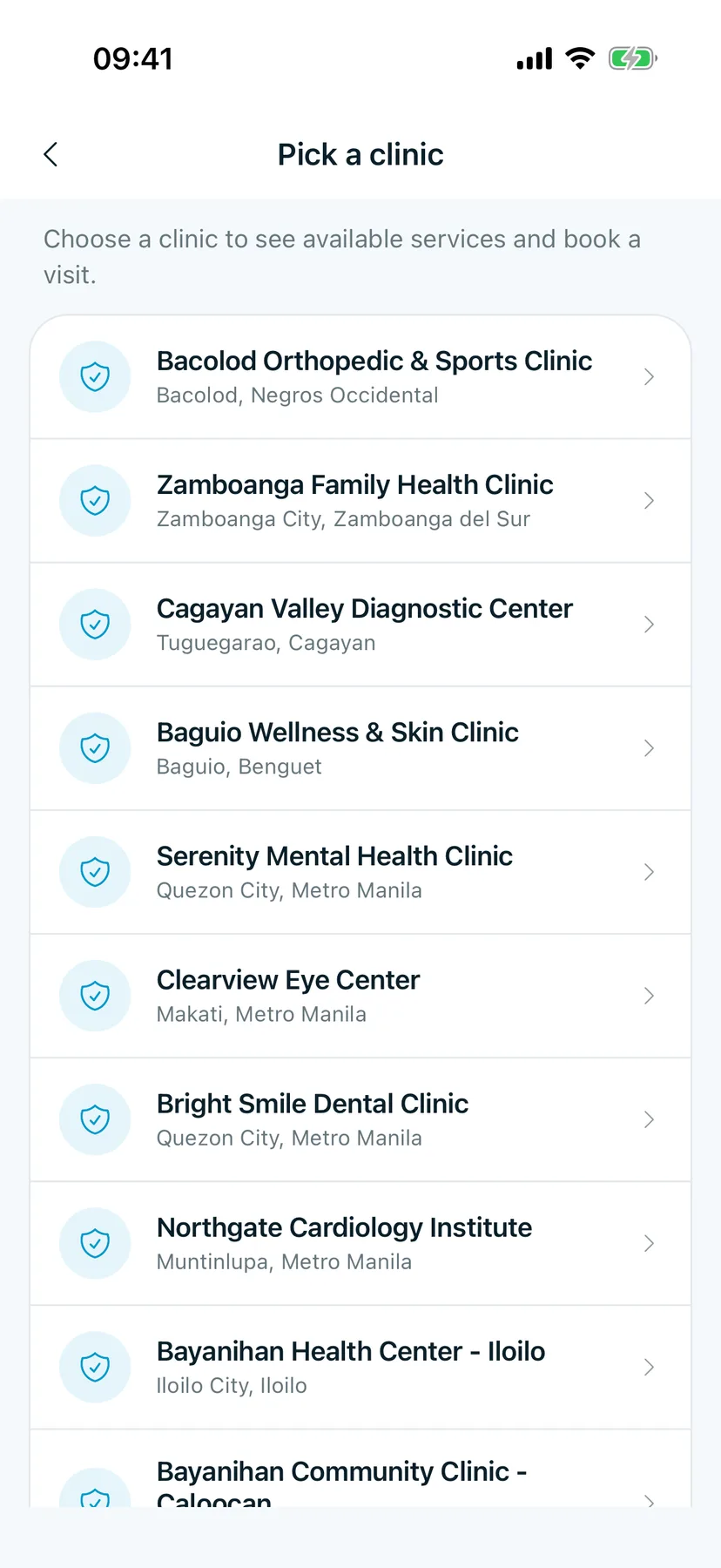
2. Pick a clinic
Scroll to your clinic and tap it.
You should see: Pick a service, with how long each one takes and whether it's in person or by video.
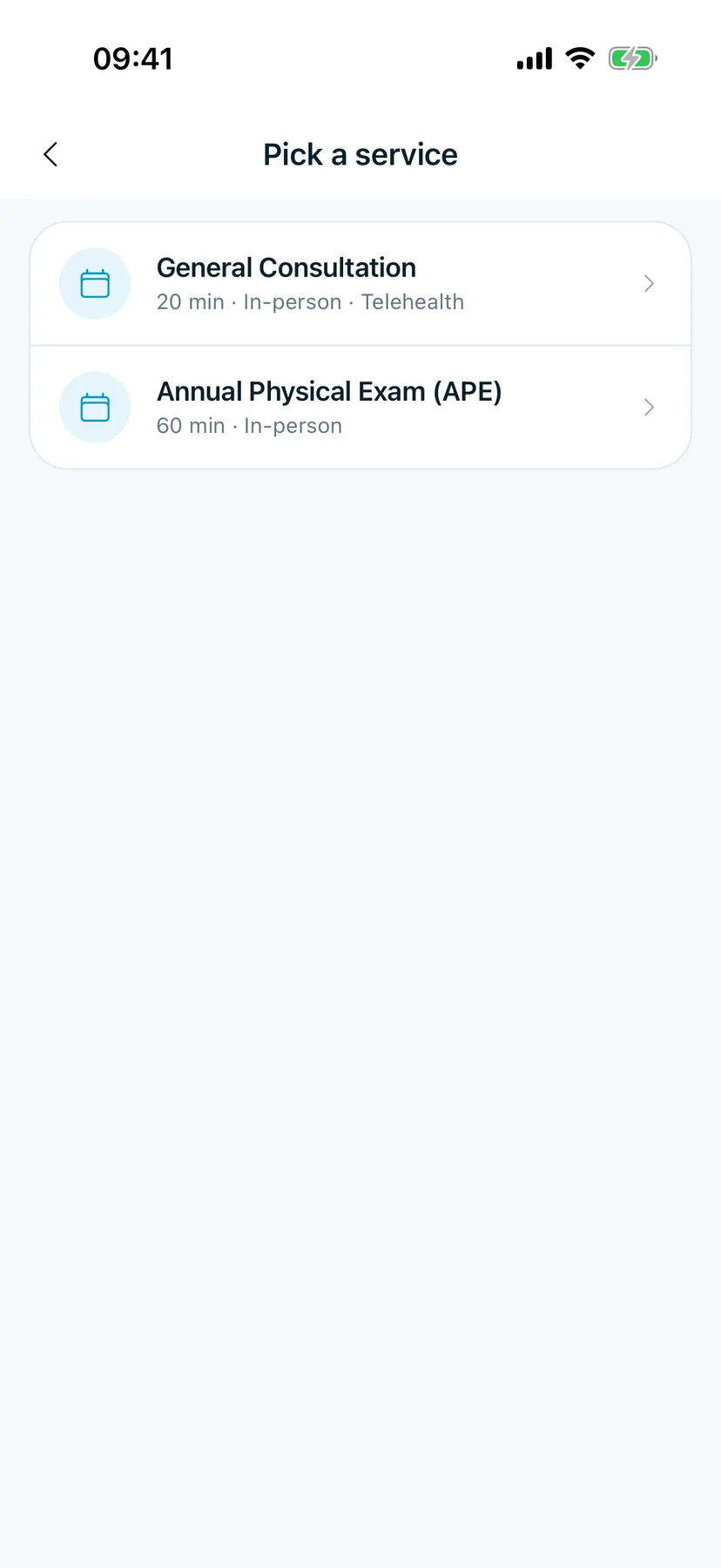
3. Pick a service
Tap the service you need.
You should see: Pick a time, with open times grouped by day.
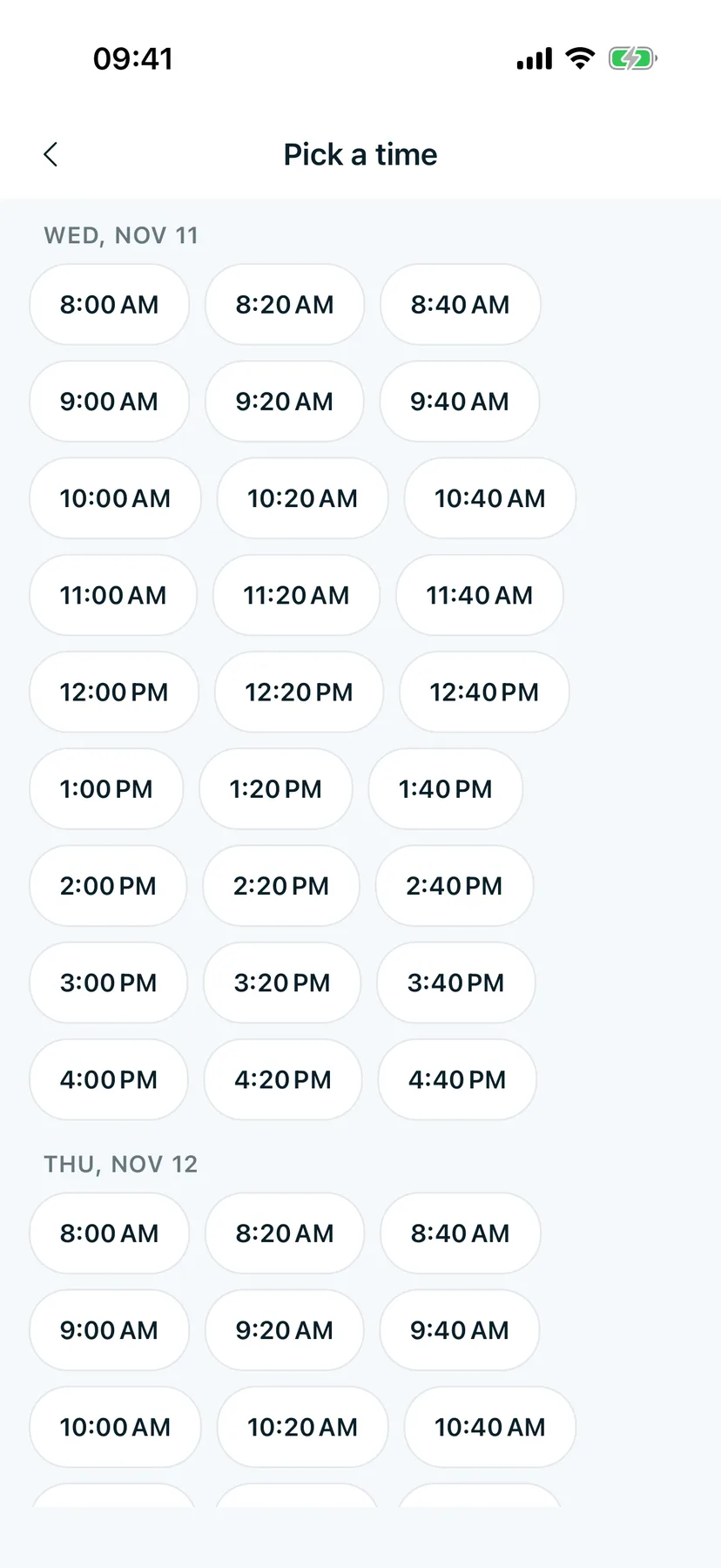
4. Pick a time
Tap a time that works for you.
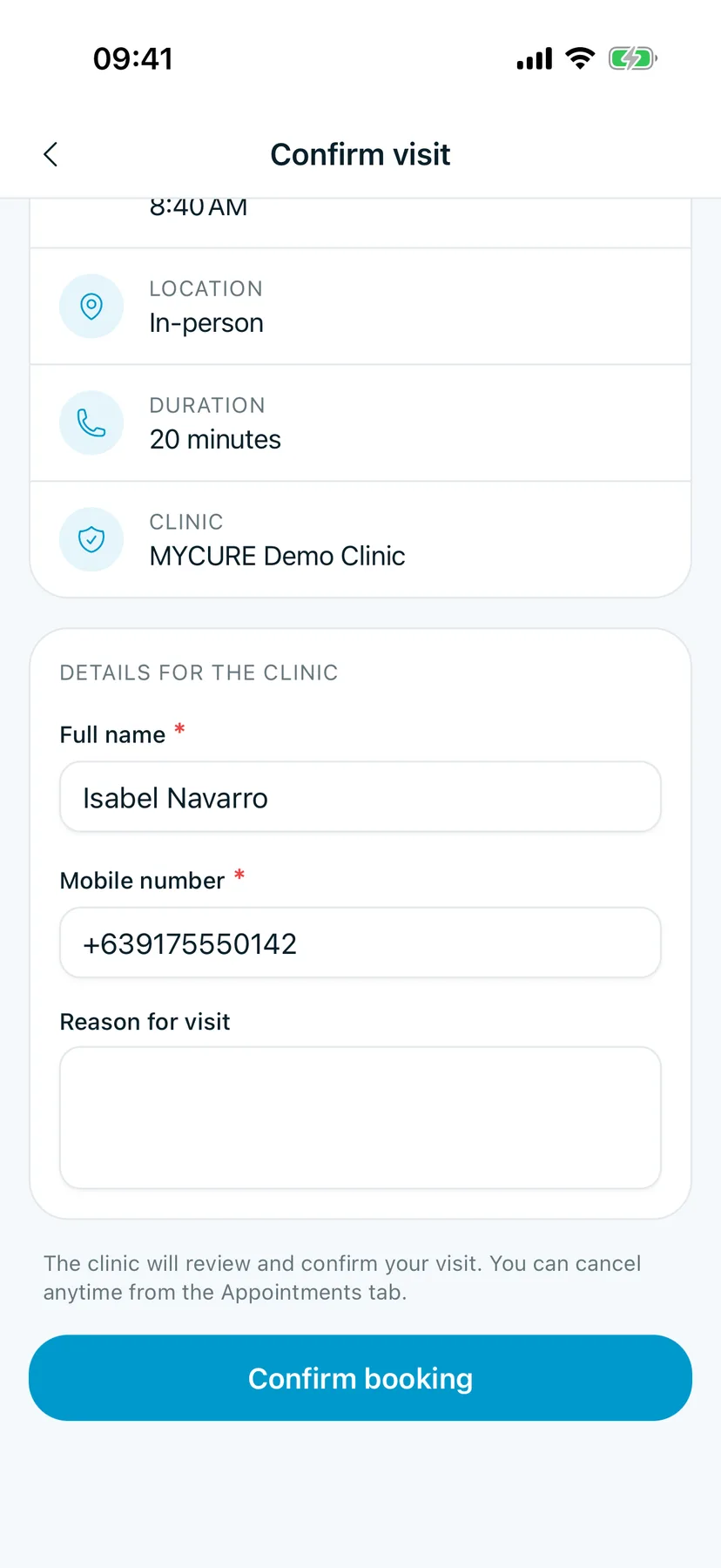
You should see: Confirm visit, with the service, the date and time, the location, how long it takes and the clinic.
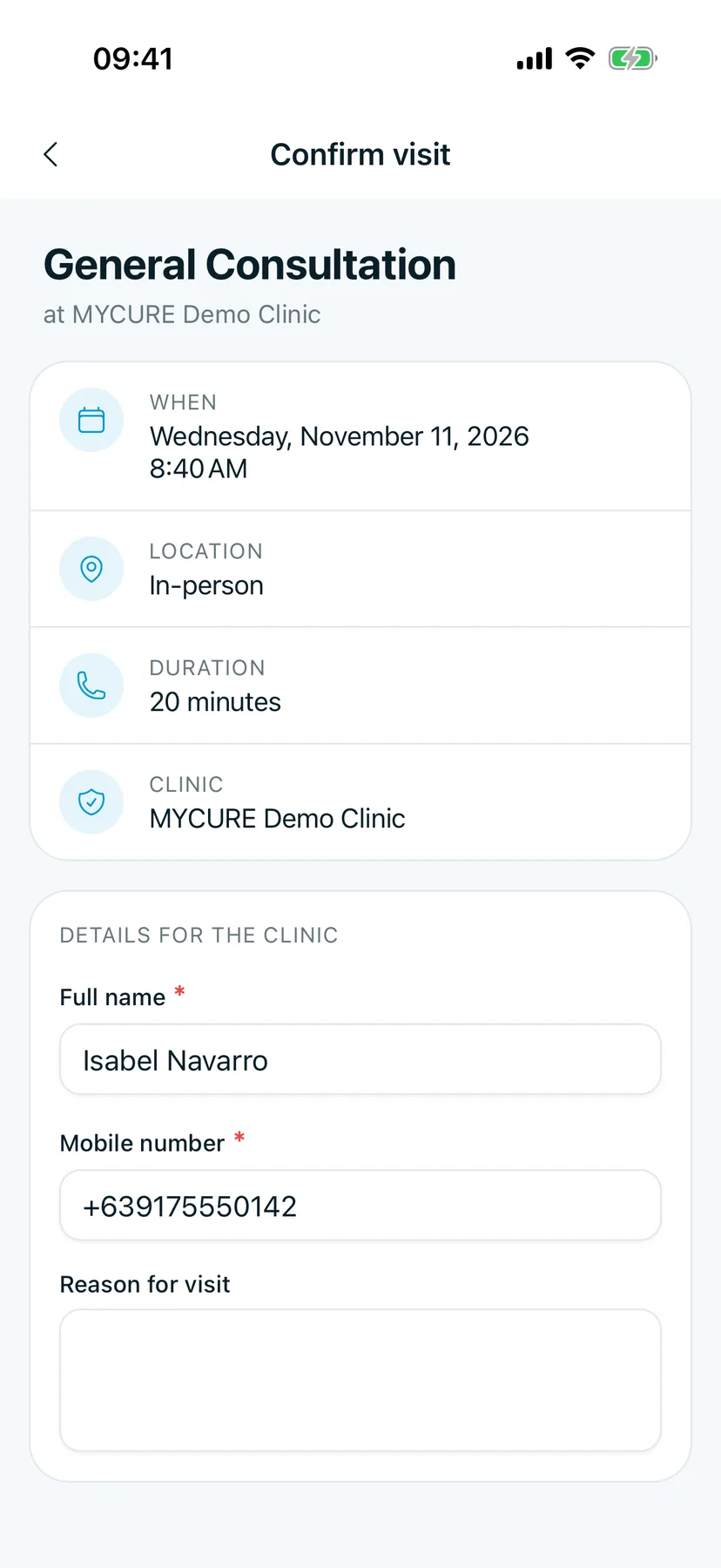
5. Check your details and confirm
Under Details for the clinic, check Full name and Mobile number. They come from your profile. Add a Reason for visit if you like, then tap Confirm booking.
You should see: your new visit in Visits, marked Pending until the clinic confirms it.
Tips
Good to know
The clinic reviews every online booking. It shows as Pending until they confirm it, and the status changes in the app when they do.
Changed your mind?
You can cancel any time from Visits. See Your appointments.