Settings and security
Steps
1. Open Settings
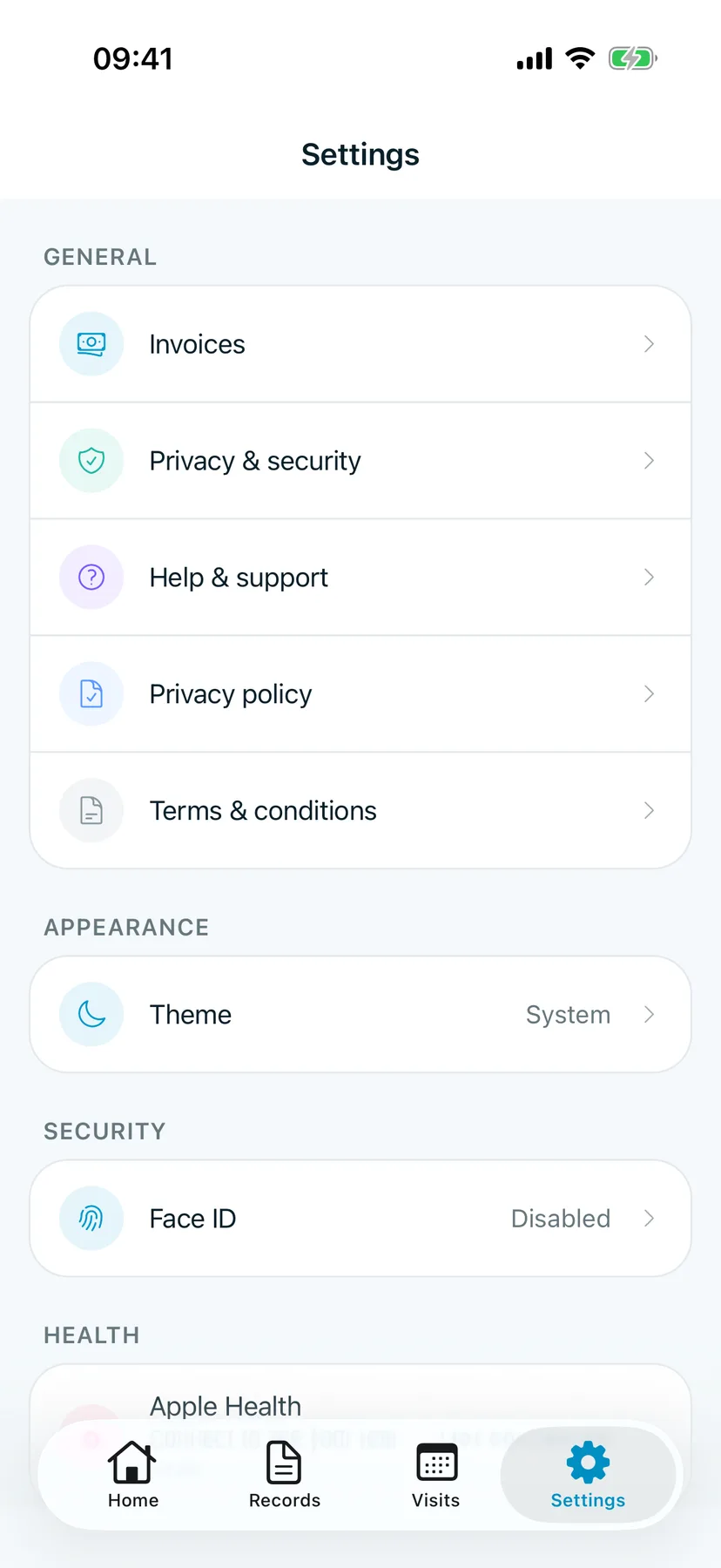
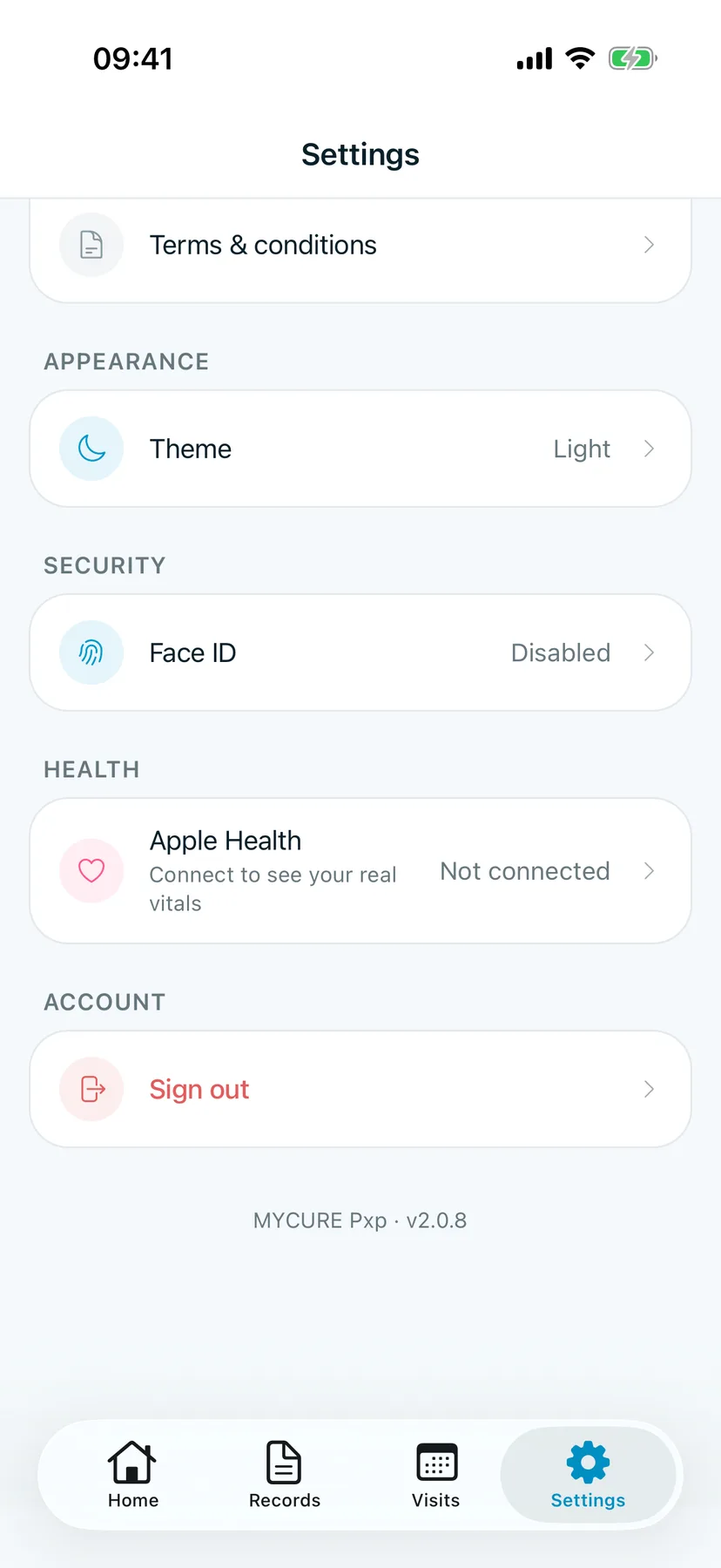
Tap Settings at the bottom of the screen.
You should see: General, Appearance, Security, Health and Account.
2. Change the theme
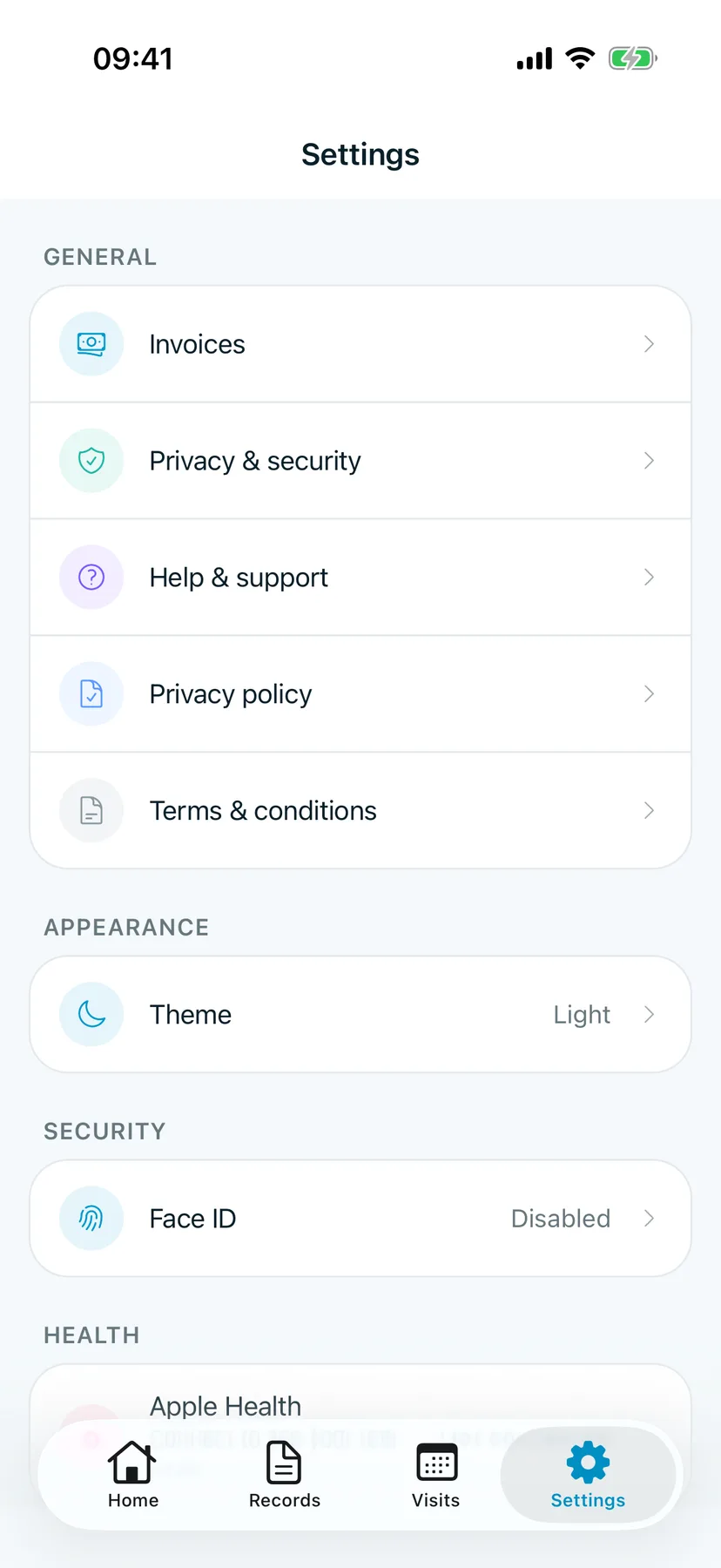
Tap Theme. Each tap switches it: System follows your iPhone, Light is always light, Dark is always dark.
You should see: the new choice next to Theme.
3. Turn on Face ID
Tap Face ID under Security and follow the steps. After that, the app asks for your face instead of your password.
4. Open Privacy & security
Tap Privacy & security.
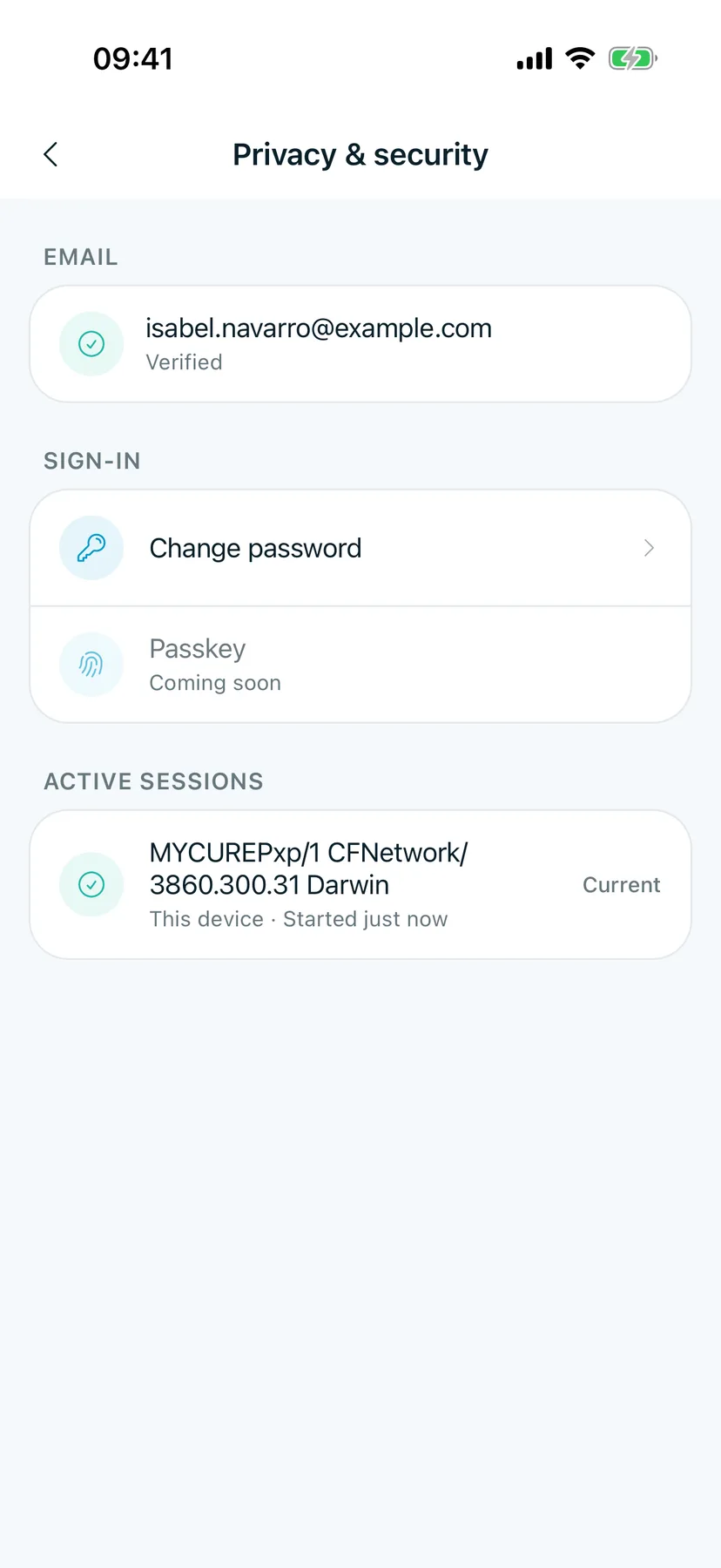
You should see: your Email and whether it's verified, Change password under Sign-in, and your Active sessions.
5. Check where you're signed in
Under Active sessions, each row is a device signed in to your account. Current is this phone. Tap Sign out next to a device you don't recognise, or Sign out others to sign out everywhere except here.
You should see: only the devices you use.
6. Sign out
Scroll to the bottom of Settings and tap Sign out.
You should see: the Sign in screen.
Tips
Change your password
In Privacy & security, tap Change password, type your current password and a new one, then save.
Didn't verify your email?
Tap Resend verification in Privacy & security, then open the link in the email.